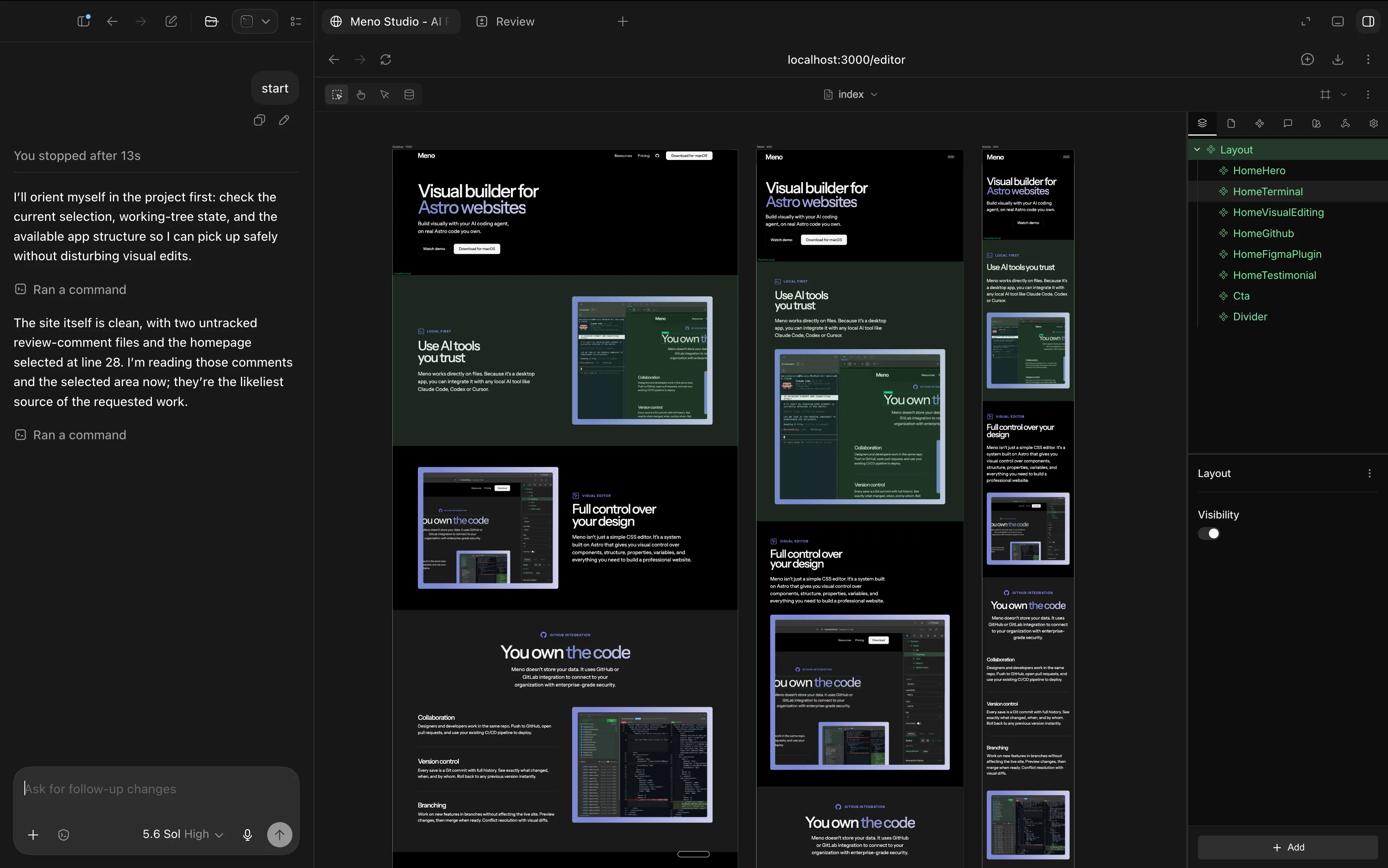
AI first visual website editor

Meno Studio is an AI-powered web builder that turns your ideas into production-ready websites. Describe what you want, refine it visually, and publish all in one place.

From idea to live website in minutes, not weeks

Traditional web development is slow. Page builders are limiting. Meno Studio combines AI generation with visual editing so you can build exactly what you imagine, faster than ever before.

AI-First Editing

Built-in AI assistant that understands project. Select an element, describe what you want, refine, approve.

Visual Editor

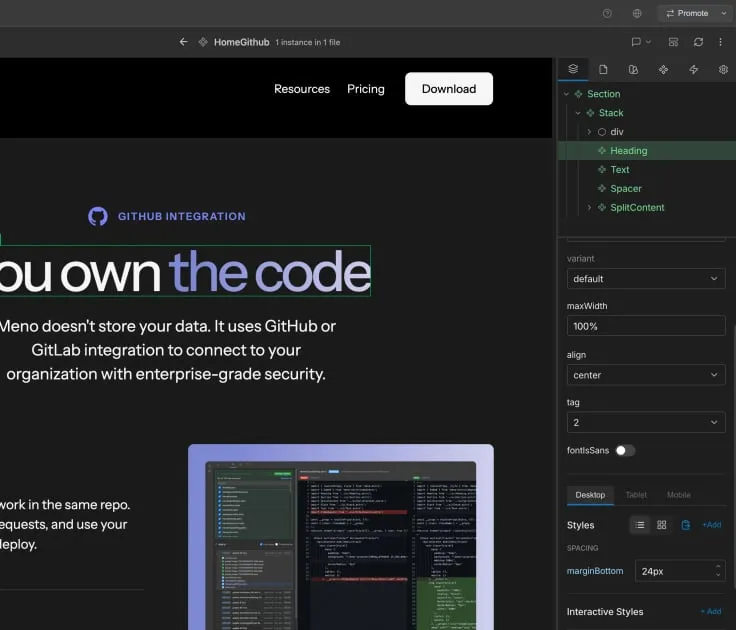
Drag-and-drop page builder with live preview. Design for desktop, tablet, and mobile with reusable components.

Built-in CMS

Create custom content collections with typed fields. Dynamic lists with filtering, sorting, and templating.

Multi Language

Localized content fields with language-specific URLs. Manage translations directly in the editor.

Git Version Control

Every change is a commit with full audit trail. Branch, merge, and rollback with visual diff viewer.

Own Your Data

Files stored in your repository, not our cloud. Self-host or deploy anywhere with zero lock-in.

View more

Building scalable websites with AI

Set Up Your Design System

Define colors, typography, spacing, and components. Ensures consistency across all pages and aligns AI-generated designs with your brand.

Design System Setup

Define colors, typography, spacing, and components. Ensures consistency across all pages and aligns AI-generated designs with your brand.

Empower Marketing with AI

Marketing teams generate websites by describing their vision. Launch campaigns faster, test variations, and iterate without developer involvement.

Designed for Teams & Enterprises

Built on GitHub. Secured by your infrastructure. Zero cloud vendor lock-in.

GitHub Enterprise SSO & SAML

Integrate seamlessly with GitHub Enterprise for SAML-based authentication. Manage team access through your existing identity provider. No additional login credentials needed.

Zero Cloud Data, Full Control

All content and configuration stored in your GitHub repository. No vendor data collection. Self-host, deploy on-premise, or use GitHub Enterprise Server—complete data sovereignty.

Enterprise Security & Compliance

Meet HIPAA, GDPR, SOC2, and other compliance requirements. Full audit trails for every change. Encrypted at rest. Your infrastructure, your security rules.

Team Collaboration & Code Review

Native GitHub branching, pull requests, and merge workflows. Design changes follow your approval process. Leverage existing GitHub permissions and team structure.

Complete Audit & Version History

Every change is a commit with attribution and timestamp. Git history serves as your compliance record. Rollback to any point. Full visibility of who changed what and when.

Reduce Development Costs

AI generates pages instantly. Your teams review visually. Significantly lower web development costs while maintaining enterprise standards and security.

Faster Time to Market

Launch products and campaigns weeks faster. AI-powered page generation combined with visual editing eliminates bottlenecks in your development pipeline.

Frequently Asked Questions

Find answers to common questions about Meno Studio, features, and getting started.

What is Meno?

Meno is a visual editor that lets you build web pages and components using a drag-and-drop interface. Your designs are saved as JSON files that render as production-ready code.

Do I need to know how to code?

No coding required to design pages. Meno generates clean, production-ready output. Developers can customize the JSON output or extend components as needed.

How is Meno different from other website builders?

Unlike Webflow or Framer, Meno outputs pure JSON structures you fully own—not locked to a proprietary platform. The format is AI-friendly and follows conventions similar to Astro or Next.js, making it easy for AI tools to understand and modify.

What can I build with Meno?

Marketing pages, landing pages, blogs, documentation sites, and any content-driven web pages. The CMS integration supports dynamic content like blog posts and product catalogs.

Can I use my own components?

Absolutely. Define custom component JSON schemas and Meno will make them available in the visual editor alongside built-in elements.

Does it work offline?

Yes. The Meno desktop app works fully offline. Your files are stored locally and sync via Git when you're ready.

Can AI edit my Meno projects?

Yes. The JSON structure is designed to be readable and editable by AI assistants. Ask Claude or ChatGPT to modify your pages, add sections, or update content directly.

Get started with Meno

Download Meno Studio and build your first site in minutes. No coding. No signup. Just results.